
Bot Protection with Edge Shield
Stop form spam, credential stuffing, and fake signups without ever showing a human a puzzle. Two lines on the page, one HTTP call on the server — free forever.
Why not just use a CAPTCHA?
Traditional CAPTCHAs make humans do work that AI now does better — image puzzles cost you real conversions while modern bots solve them for fractions of a cent. And most "invisible" alternatives pay for their invisibility with tracking.
Edge Shield takes a different approach: a lightweight proof-of-work runs in a background thread while the page loads, corroborated by server-side signals — solve timing, header coherence, network reputation, TLS characteristics. The result is a humanity score from 1 to 100 attached to every verification, with no cookies, no fingerprint database, and no per-visitor data stored.
The score doesn't stop there. As the visitor actually uses the page — typing into your form, moving the pointer — the widget summarises that interaction into a handful of aggregate statistics (computed in the browser; raw movements and keystrokes never leave the device) and refreshes its token with a behaviour-informed score. Human motor noise raises it; machine-perfect input lowers it. By the time the form is submitted, the score reflects how the visitor behaved, not just what their browser looked like.
1. Add the widget to your form
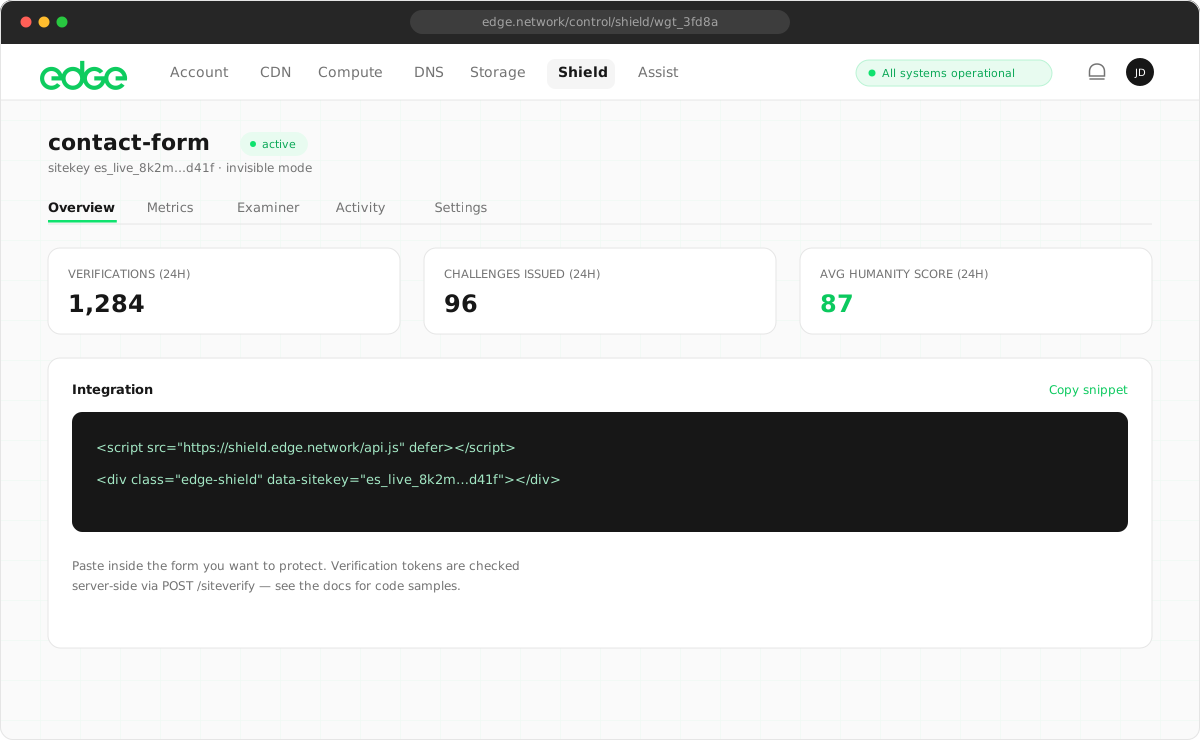
Create a widget in the console (verified email is all you need — no card), then drop the script tag and a placeholder div into any form:
<script src="https://shield.edge.network/api.js" defer></script>

<form action="/signup" method="POST">
  <input type="email" name="email" required />
  <div class="edge-shield" data-sitekey="es_your_sitekey"></div>
  <button type="submit">Sign up</button>
</form>
Verification runs while the visitor fills in the form, and the token lands in a hidden
edge-shield-response
input automatically. In the default managed mode, real visitors see a
small "Verified" badge; only suspicious traffic gets a single-click confirmation backed
by a harder challenge.
2. Validate the token server-side
Client-side checks alone protect nothing — always validate the token from your server. Tokens are single-use and expire after five minutes, so replayed or scripted submissions fail even if they captured a real token. The response shape is compatible with Cloudflare Turnstile, so migrating is a URL swap.
// On your server, before processing the form
const res = await fetch('https://shield.edge.network/siteverify', {
  method: 'POST',
  headers: { 'Content-Type': 'application/json' },
  body: JSON.stringify({
    secret: process.env.SHIELD_SECRET,
    response: req.body['edge-shield-response'],
  }),
})
const { success, score, agent } = await res.json()

if (!success) return reject()       // invalid, expired, or replayed
if (agent?.verified) return route() // declared automation — your call
if (score < 40) return stepUp()     // suspicious — require confirmation
3. Act on the score, not just the verdict
The score turns bot protection from a binary gate into a policy you control. Sensible starting bands:
| Score | Meaning | Suggested action |
|---|---|---|
| 70–100 | Confident human | Let them straight through. |
| 40–69 | Uncertain | Step up: email confirmation, or rely on managed mode’s one-click check. |
| 1–39 | Automation | Block — or route verified agents to your API instead. |
Note the third row: "automation" doesn't have to mean "blocked". AI agents acting for real customers score low honestly — and if they sign their requests with Web Bot Auth, the siteverify response tells you exactly who they are, so you can send them to your API instead of a dead end.
Where it earns its keep
- Signup and login forms — stop credential stuffing and fake account waves without adding friction for real users.
- Contact and comment forms — kill form spam at the source instead of moderating it afterwards.
- Checkouts — card-testing bots hammer payment forms; a score floor before the payment call cuts fraud and processor fees.
- Newsletter subscriptions — protect your sender reputation from bot-filled lists.
Every form on this site — including the newsletter box in the footer — runs Shield in invisible mode. You've been verified several times just browsing, and never noticed.