
Migrating from reCAPTCHA
Swap Google reCAPTCHA for Edge Shield in under an hour: one script tag, one server call, and your visitors never squint at traffic lights again.
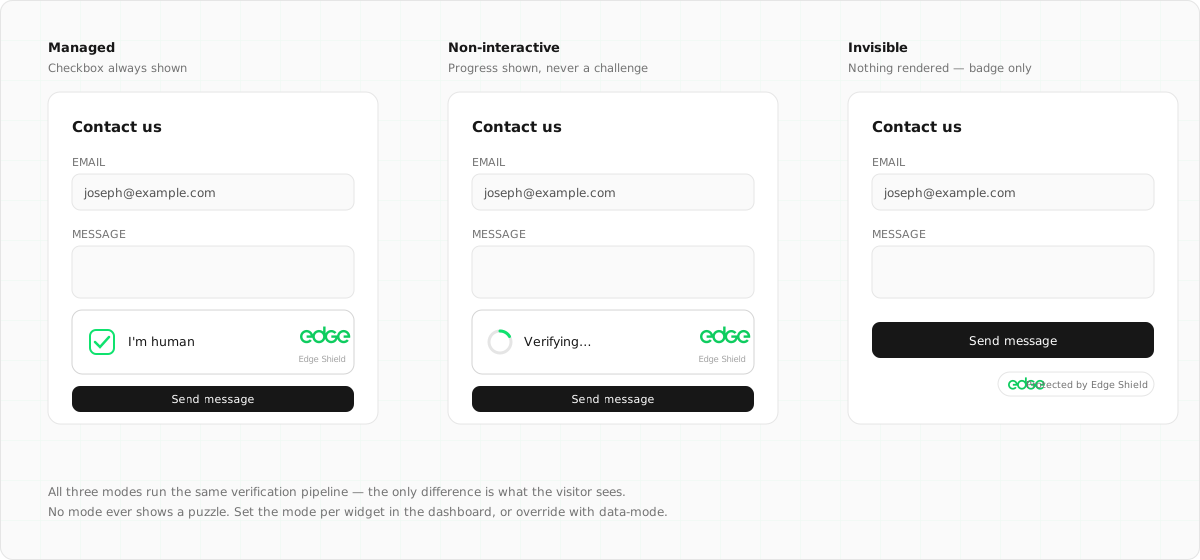
Why teams are moving
Three pressures usually trigger the migration. Conversion: image challenges measurably cost signups, and AI now solves them better than humans do, so the friction buys less protection every year. Privacy: reCAPTCHA sets Google cookies and feeds behavioural data across sites, which drags your forms into GDPR consent territory. Cost: the free tier caps at 10,000 assessments a month — real traffic graduates to Enterprise pricing.
Edge Shield is free without limits, collects no per-visitor data, and replaces puzzles with an invisible proof-of-work plus a 1–100 humanity score your server acts on.
| reCAPTCHA | Edge Shield | |
|---|---|---|
| Human experience | Image puzzles when suspicious (v2); silent but score-gated (v3) | Invisible; at worst a single click — never a puzzle |
| Score | 0.0–1.0 (v3 only) | 1–100 on every verification, all modes |
| Privacy | Google cookies and tracking across sites | No cookies, no fingerprint DB, no per-visitor data |
| Pricing | Free to 10k assessments/mo, then paid (Enterprise) | Free forever, unlimited |
| Consent banners | Usually required under GDPR | Nothing collected, nothing to consent to |
| AI agents | Treated as attacks | Cryptographically identified and routable |
1. Create your Shield widget
In the console, go to Shield → Create Widget. Name it, optionally pin it to your hostnames, and keep the default managed mode — it behaves like reCAPTCHA v2's "invisible" mode, escalating to a single click only for suspicious traffic. You'll get a sitekey (public) and a secret (server-side, shown once), directly replacing your reCAPTCHA key pair.
2. Swap the client-side snippet
<!-- Before: reCAPTCHA -->
<script src="https://www.google.com/recaptcha/api.js" async defer></script>
<div class="g-recaptcha" data-sitekey="6Lc..."></div>
<!-- After: Edge Shield -->
<script src="https://shield.edge.network/api.js" defer></script>
<div class="edge-shield" data-sitekey="es_..."></div>
The token lands in a hidden edge-shield-response
input on submit. If you used the JS API (grecaptcha.render,
grecaptcha.execute),
the equivalents are edgeShield.render() and
edgeShield.execute() —
see the JS API docs for SPA patterns.
3. Update the server-side verification
Same pattern, different URL and field name. The response shape is deliberately familiar —
success,
hostname,
challenge_ts,
error-codes:
// Before: reCAPTCHA siteverify
const res = await fetch('https://www.google.com/recaptcha/api/siteverify', {
  method: 'POST',
  headers: { 'Content-Type': 'application/x-www-form-urlencoded' },
  body: `secret=${SECRET}&response=${req.body['g-recaptcha-response']}`,
})
const { success, score } = await res.json() // score: 0.0 – 1.0
// After: Edge Shield siteverify
const res = await fetch('https://shield.edge.network/siteverify', {
method: 'POST',
headers: { 'Content-Type': 'application/x-www-form-urlencoded' },
body: `secret=${SECRET}&response=${req.body['edge-shield-response']}`,
})
const { success, score } = await res.json() // score: 1 – 100 Score mapping: if you gate on reCAPTCHA v3 scores,
multiply your thresholds by 100 — a 0.5 cutoff
becomes 50. One
behavioural difference to know: Shield tokens are strictly single-use, so validate at the
moment you process the form, not ahead of it.
4. Verify, then remove Google
- Test a real submission and watch the verification land in your widget's metrics in the console.
- Submit with the token replayed (or missing) and confirm your server rejects it.
- Remove the reCAPTCHA script tag, keys, and any
google.com/recaptchaentries from your CSP. - If your privacy policy or consent banner mentioned reCAPTCHA, simplify it — Shield collects nothing that needs consent.
Migrating from Cloudflare Turnstile instead? That's even closer — Shield supports a drop-in compatibility mode. See the Turnstile migration guide.