Command palette
Navigate anywhere and trigger actions instantly without reaching for the mouse.
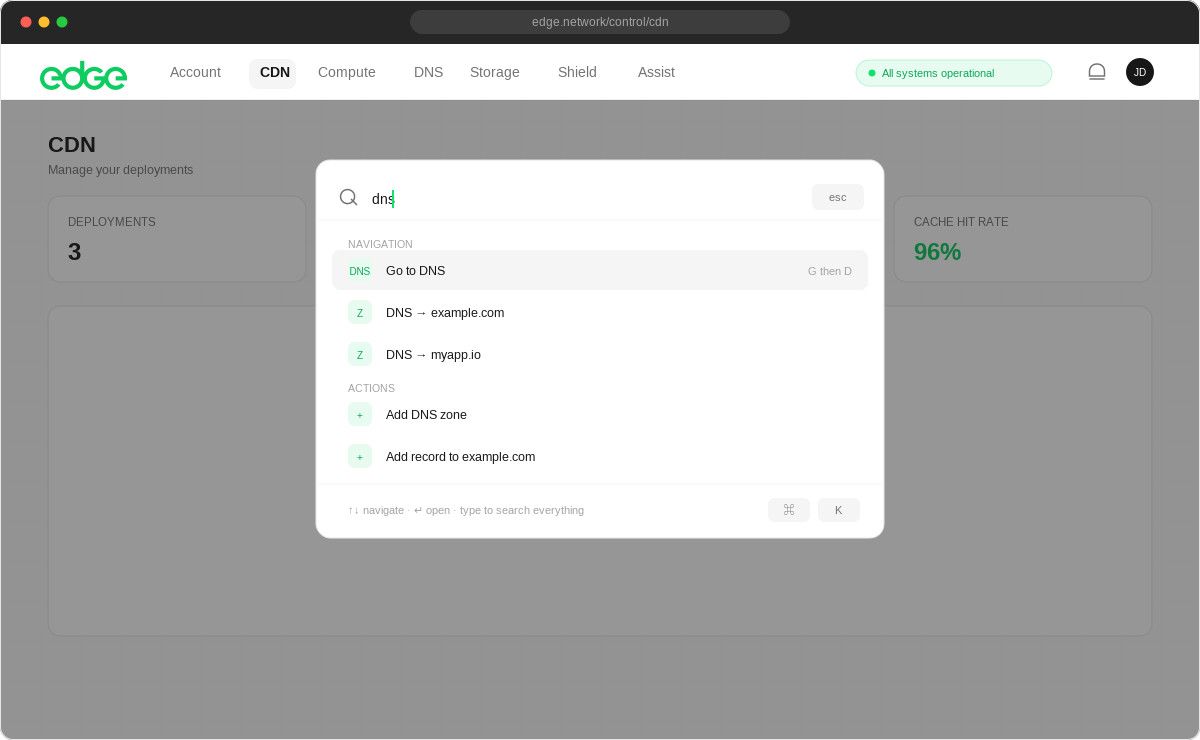
Opening the command palette
The command palette can be opened from anywhere in the console using:
/(forward slash): when not focused on a text input⌘ K(Cmd+K / Ctrl+K): works anywhere, even in text inputs
Press Esc to close the palette at any time.
Contextual quick actions
The command palette is context-aware. The quick actions shown at the top are relevant to the section you're currently viewing:
| Current section | Quick actions |
|---|---|
| CDN | Deploy CDN |
| Compute | Create Virtual Machine, Manage SSH Keys, Manage Firewall Rules |
| DNS | Create DNS Zone |
| Storage | Create Storage Bucket, Manage Storage Keys, Storage Connection Info |
| Account | Open Support Ticket, Manage API Keys, Manage Team, Billing, Settings, Alerts |
Actions from other sections are available under Other Actions further down the list.
Navigation
Jump to any section of the console instantly:
- Overview
- CDN
- Compute
- DNS
- Storage
- Activity
- Usage
- Support
Search
Start typing to search across all commands and actions. The search matches against:
- Command names: "Create Virtual Machine", "Deploy CDN", etc.
- Keywords: "vm", "server", "bucket", "domain", "firewall", etc.
- Sections: "compute", "storage", "dns", etc.
Note
When searching, all commands are shown regardless of which section you're in. This lets you quickly find actions from any page.
Keyboard navigation
Navigate the command palette entirely with your keyboard:
| Key | Action |
|---|---|
↑ ↓ | Move the selection up/down |
Enter | Execute the selected command |
Esc | Close the command palette |
/ | Open the command palette |
⌘ K | Toggle the command palette (works in text inputs too) |
Tips
- Quick navigation: press
/, type "cdn" and pressEnterto jump straight to CDN. - Fuzzy matching: search terms don't need to be exact. Typing "vm" matches "Create Virtual Machine".
- Mouse or keyboard: you can click commands directly or navigate with the arrow keys. Hovering also updates the selection.
Something unclear or out of date? Tell us, or read this page as Markdown.